
Let’s be honest for a second.
If you spend five minutes on Tech Twitter, Reddit, or LinkedIn, it feels like a new “game-changing” developer tool drops every single morning. There’s always another AI coding agent, a new terminal emulator written in Rust, or an ultra-fast JavaScript bundler promising to save you 40 milliseconds on build times.
It is exhausting.
If you tried to adopt every shiny new tool that pops up on your feed, you would spend all day configuring .yaml files, tweaking extensions, and managing subscriptions instead of actually writing code.
The goal of a great developer setup in 2026 isn’t to look cool—it’s to get out of your way. The best tools are the ones that automate the boring stuff, help you catch bugs before your users do, and let you get into a flow state without fighting your IDE.
Whether you’re building web apps, managing cloud infrastructure, or just trying to survive your team’s pull request queue, here is a honest, grounded look at the software actually worth installing this year.
1. The 2026 Developer Toolkit: Honest Ratings & Real Talk

Before we dive into the details, let’s look at how the top tools stack up right now. These aren’t just official marketing feature lists—this is how they actually feel in daily production:
| Tool | Primary Use Case | The Honest Learning Curve | Real-World Vibe | Rating |
| Visual Studio Code | Lightweight, everyday code editing | Very Easy: Works out of the box, infinite plugins. | The reliable Swiss Army knife everyone uses. | 4.8 / 5 |
| GitHub | Code hosting, PRs, & CI/CD automation | Easy: Great web UI, command-line integration. | The default town square for modern software. | 4.8 / 5 |
| Cursor | AI-native coding & repository editing | Easy: Built on VS Code, low friction to start. | Like having a senior dev sitting next to you pair-programming. | 4.7 / 5 |
| Git | Distributed version control | Moderate: CLI syntax still trips up veterans. | Absolutely mandatory. Learn the basics; bookmark the rest. | 4.7 / 5 |
| Docker | Containerization & local environments | Moderate: Configs can get messy fast. | “Works on my machine” is officially a solved problem. | 4.7 / 5 |
| JetBrains IDEs | Heavy-duty, language-specific IDEs | Moderate: Feature-packed, can hog RAM. | The power tools you bring out when projects get massive. | 4.6 / 5 |
| Postman | API testing & documentation | Easy: Click-and-send interface. | Great for quick tests, though it’s gotten a bit bloated lately. | 4.5 / 5 |
| Figma | UI design handoff & frontend translation | Easy: Great browser-based collaboration. | Saves hours of back-and-forth messaging with designers. | 4.5 / 5 |
2. Code Editors & IDEs: Lightweight vs. Heavyweight
The debate over where you should actually type your code isn’t about bragging rights anymore—it comes down to project scale and how much computer memory you want to use.
                    THE EDITOR SPECTRUM

     LIGHTWEIGHT & FLEXIBLE                 HEAVYWEIGHT & DEEP
      (VS Code / Cursor)                    (JetBrains / Visual Studio)
    ┌──────────────────────┐               ┌───────────────────────┐
    │ • Fast startup       │               │ • Deep refactoring    │
    │ • Plugin ecosystem   │  ──────────►  │ • Built-in profiling  │
    │ • Great for Web/Node │               │ • Ideal for Java/C++  │
    └──────────────────────┘               └───────────────────────┘
Visual Studio Code: The Undisputed Default
VS Code is still the default editor for millions of developers, and for good reason. It’s light, fast, and open-source at its core. You can turn it into an environment for Python, TypeScript, Go, or Rust just by installing a couple of verified extensions.
- Why people love it: The extension marketplace is unmatched. If you have a niche problem, someone has already written a VS Code extension to fix it.
- The drawback: It’s easy to over-stuff it. Install 40 different extensions, and suddenly your “lightweight editor” takes ten seconds to launch and eats your battery for breakfast.
Cursor: The AI-Native Game Changer

If you haven’t tried Cursor yet, it is essentially a fork of VS Code with deep, native AI capabilities built right into the editor core—not just squeezed in as a side-panel plugin.
- The Real Utility: Unlike standard Copilot autocomplete, Cursor can read your entire code base. You can highlight three files and say, “Update this API endpoint and refactor the front-end fetch hook to handle error states,” and it understands the context across your whole project structure.
- The Reality Check: It won’t write entire production apps for you without supervision. If you don’t understand what the generated code is doing, you’re just fast-tracking technical debt.
JetBrains Suite (WebStorm, IntelliJ, PyCharm)
When you are working on a massive enterprise codebase with tens of thousands of files, lightweight editors can struggle with deep static analysis. That’s where JetBrains tools shine. Their indexers understand exact type references, call hierarchies, and complex database schemas better than almost anything else on the market.
3. Collaboration & Version Control: The Daily Essentials
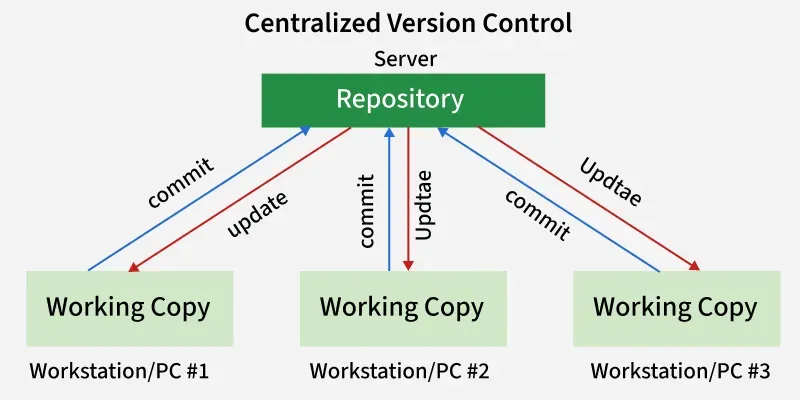
No developer works in a vacuum. Even if you are a solo builder, version control is your safety net when you break something at 5:00 PM on a Friday.
                     THE DAILY GIT WORKFLOW

    [ LOCAL CODE ]  ───►  [ FEATURE BRANCH ]  ───►  [ PULL REQUEST ]
    Write & test          Isolate changes           Code review &
    changes locally       cleanly                   automated CI testing
                                                          │
                                                          ▼
                                                    [ MAIN BRANCH ]
                                                    Deployed to prod!
Git: Still Irreplaceable
Yes, the command-line syntax can still feel cryptic (git reset --soft vs --hard still sends people to Google every day). But Git remains the universal language of software development.
- Pro Tip for 2026: Don’t stress about memorizing obscure flags. Get comfortable with standard branching strategies (
git checkout -b,git commit,git rebase), and use a clean visual GUI like GitKraken or VS Code’s built-in Source Control tab for visual branch merging.
GitHub: The Command Center
GitHub has evolved far beyond a place to store .git files. With GitHub Actions, it is often a team’s entire CI/CD pipeline.
- Automated Workflows: You push code, GitHub automatically runs your test suite, lints your code style, checks for security vulnerabilities in your dependencies, and deploys your build straight to your cloud provider.
- Pull Request Culture: A good PR template on GitHub saves hours of arguing in Slack. It forces developers to explain what changed, why it changed, and how to test it manually.
4. API Testing & Environment Isolation
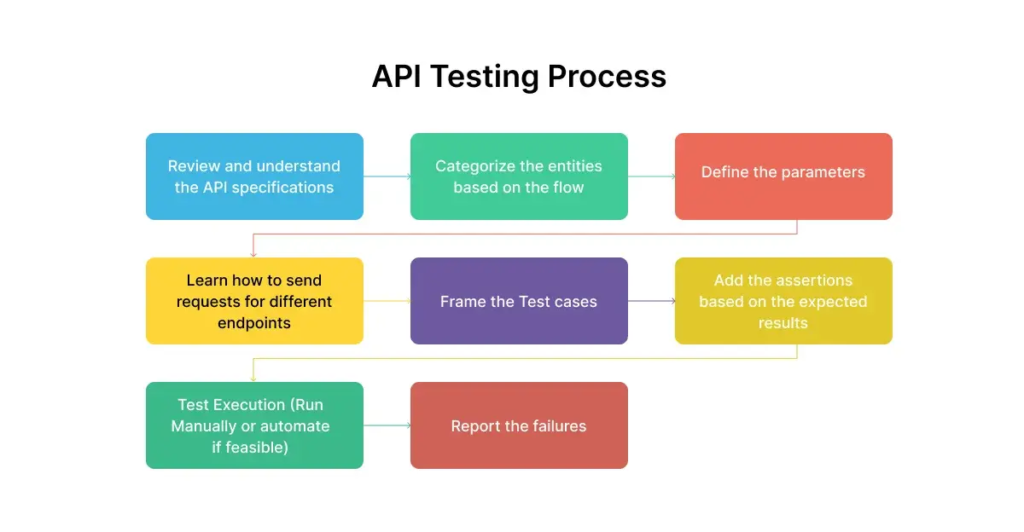
Building modern apps usually means connecting a dozen different services together. Doing that cleanly requires isolated environments and quick testing routines.
                    LOCAL CONTAINER ARCHITECTURE

   [ HOST MACHINE ] (Your Laptop)
         │
         ├── [ CONTAINER 1 ] ──► Node.js API (Port 3000)
         ├── [ CONTAINER 2 ] ──► PostgreSQL DB (Port 5432)
         └── [ CONTAINER 3 ] ──► Redis Cache (Port 6379)
Docker: “Works on My Machine” Is Finally Dead
If you’ve ever spent three hours trying to debug why a project works on your coworker’s Mac but crashes on your Linux box because of node version mismatches, Docker is your savior.
- How Devs Use It: Using
docker-compose, you can spin up your application backend, a local database, and a caching layer with a single command (docker compose up). - The Catch: Container setups can consume heavy system resources. Keep your base images small (like Alpine Linux variants) so your machine doesn’t sound like a jet engine taking off.
Postman vs. Bruno / Insomnia
Postman has been the standard for API testing for years, allowing you to craft HTTP requests, set authentication headers, and inspect JSON responses easily.
- The Shift in 2026: Postman has added a lot of cloud sync and enterprise features, which has made it feel heavy for some developers. Light alternatives like Bruno (which saves your API requests directly as plain text files inside your Git repo) or Insomnia have gained huge popularity for devs who just want a fast, clean HTTP client.
5. UI Handoff & Frontend Workflows: Figma
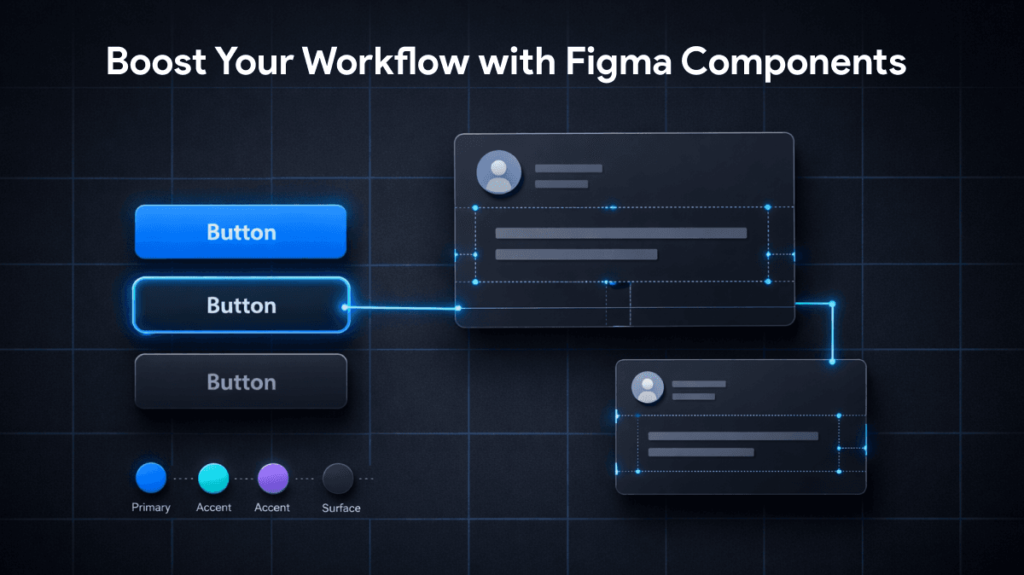
The line between frontend development and UI design continues to blur.
In 2026, Figma remains the dominant design tool for software teams. It isn’t just for designers drawing icons—developers use it daily to inspect CSS values, grab precise margin/padding measurements, export SVG assets, and view interactive prototypes before writing a single line of frontend code.
- Dev Mode: Figma’s Developer Mode lets you click on any element and copy production-ready CSS, Tailwind classes, or React component structures straight to your clipboard.
6. How to Build Your Ideal Setup (Without Overcomplicating It)
If you feel overwhelmed by the sheer number of developer tools available, don’t try to adopt everything at once. Use this simple 4-step framework to keep your workflow lean and productive:
                  THE LEAN DEV SETUP CHECKLIST

  [ STEP 1 ] ──> Choose ONE primary editor (VS Code or Cursor)
  [ STEP 2 ] ──> Learn 10 essential editor keyboard shortcuts
  [ STEP 3 ] ──> Set up Docker for local database environments
  [ STEP 4 ] ──> Automate your testing & linting with GitHub Actions
- Keep Your Core Simple: Pick one primary editor and learn its keyboard shortcuts inside out. Being able to split panes, open files by name, and multi-cursor edit without touching your mouse saves more time over a year than any fancy extension.
- Automate Boring Tasks: If you find yourself manually copying build files or running identical terminal commands every morning, write a small shell script or GitHub Action to handle it.
- Audit Your Plugins: Once a month, disable extensions you haven’t used in 30 days. Your editor will feel noticeably faster.
- Prioritize Team Standards: The best tool is the one your team agrees on. A unified code formatting setup (like Prettier + ESLint) prevents endless trivial arguments on code reviews.

Best Meeting & Presentation Tools for Better Work in 2026
Meetings are a normal part of working life, but nobody enjoys a meeting that could…
Best Tools for Developers in 2026: Top Software & Ratings
Let’s be honest for a second. If you spend five minutes on Tech Twitter, Reddit,…

Best Team Collaboration Tools in 2026 for Better Teamwork
Let’s be honest about the modern workplace. “Working together” sounds great on paper until you…

Best Productivity Tools 2026: Compare Top Apps & Features
The user is asking for “fully huamnsed blog content and add human words” on top…

10 Best Marketing Tools for 2026: Boost Your Online Growth
Let’s be completely honest about marketing tools: having more software won’t magically get you more…

10 Best Time Tracking Tools for Better Focus and Productivity in 2026
We’ve all experienced that specific 5:00 PM panic. You spent eight straight Time hours sitting…