Let’s be honest about the modern workplace.
“Working together” sounds great on paper until you find yourself digging through a 40-message email thread at 4:45 PM on a Friday just to find a single PDF link. Or worse: discovering three different people spent their whole morning working on the exact same task because nobody updated the tracking sheet.
It’s exhausting.
The promise of modern collaboration software is simple: give everyone one clean place to talk, track tasks, share documents, and actually get work done without constant status updates. But in 2026, the real danger isn’t having too few tools—it’s suffering from app overload. When you have one app for chat, another for tasks, a third for docs, and two more that nobody remembers the passwords for, software stops solving your headaches and starts creating them.
If you’re trying to build a tech stack that your team will actually enjoy using (instead of secretly hating), here is a real-world, human breakdown of the best collaboration tools available right now.
The “Will My Team Actually Use This?” Decision Matrix

Before throwing another monthly subscription at your company credit card, let’s run the heavy hitters through a real-world sanity test:
| Platform | Learning Curve | Frustration Factor | The Real-World Reality Check | Best Suited For |
| Slack | Easy | Moderate | Great for quick answers, but notification noise can wreck your focus if unmanaged. | Fast-paced, chat-heavy teams |
| Microsoft Teams | Moderate | High | The default corporate choice; clunky interface, but deeply built into Office 365. | Enterprise corps, Microsoft loyalists |
| Trello | Easy | Low | Unbeatable visual simplicity; gets messy quickly if you have 100+ complex tasks. | Small projects, content pipelines |
| Asana | Moderate | Moderate | Excellent for tracking deadlines and ownership without feeling overwhelmed. | Growing teams managing multiple projects |
| ClickUp | Steep | High | Can do literally anything, but setting it up feels like learning a new trade. | Power users, complex custom workflows |
| Notion | Moderate | Moderate | The ultimate digital brain for docs and wikis; requires discipline to keep tidy. | Knowledge-sharing, doc-heavy teams |
| Google Workspace | Easy | Low | The gold standard for real-time document editing; weak on formal project tracking. | Real-time file co-editing |
The 7 Standout Tools and Their Real-World Quirks
                   THE COLLABORATION TOOL RADAR

                             COMMUNICATION
                            (Instant, Fast)
                                ╱ ╲
                               ╱   ╲
                              ╱     ╲
                             ╱       ╲
                            ╱         ╲
                   DOCUMENTATION ───── PROJECT
                    & KNOWLEDGE         TRACKING
                   (Wikis, Docs)      (Tasks, Dates)
1. Slack: The Digital Watercooler

If your office culture runs on fast conversations, quick ping-backs, and casual banter, Slack remains unmatched. Organized into channels (e.g., #proj-website-redesign or #team-marketing), it keeps conversations grouped so you don’t end up with one massive, chaotic group chat.
- The Best Part: Huddles (quick audio drop-ins) eliminate half of the “let’s hop on a 30-minute Zoom call” fatigue.
- The Annoyance: If you don’t aggressively configure your notification settings, Slack turns into a relentless casino of red badges that steal your attention all day long.
2. Microsoft Teams: The Enterprise Powerhouse
If your company lives inside Word, Excel, and Outlook, Microsoft Teams is the path of least resistance. It fuses group chat, video meetings, and direct OneDrive file editing into a single portal.
- The Best Part: Deep, effortless integration with the Microsoft ecosystem. Co-editing a spreadsheet right inside a call window works smoothly.
- The Annoyance: The user interface can feel bloated, slow, and overly corporate compared to nimbler, chat-first tools.
3. Trello: The Sticky-Note Board Brought to Life

Trello uses a Kanban board system (To Do, In Progress, Done) that relies on visual cards you can drag and drop across columns. It takes about thirty seconds for a brand-new hire to understand how it works.
┌─────────────────────────────────────────────────────────────┐
│                      THE KANBAN FLOW                        │
├──────────────────────┬──────────────────────┬───────────────┤
│       TO DO          │     IN PROGRESS      │     DONE      │
├──────────────────────┼──────────────────────┼───────────────┤
│ - Write Blog Draft   │ - Redesign Homepage  │ - Q3 Budget   │
│ - Review Video Edit  │ - Fix Login Bug      │ - Client Call │
└──────────────────────┴──────────────────────┴───────────────┘
- The Best Part: Zero learning curve. If you can move a card with your mouse, you know how to use Trello.
- The Annoyance: Once a project grows beyond a few dozen tasks, boards become ridiculously long and hard to navigate.
4. Asana: The Dependable Project Manager
Asana strikes a sweet balance between simplicity and structure. You can view work as a simple list, a Kanban board, a calendar, or a timeline chart. It forces clarity by insisting every task has one assigned owner and a due date.
- The Best Part: “My Tasks” view gathers everything assigned to you across every project into a single personal checklist.
- The Annoyance: Milestone and workload tracking tools are locked behind higher pricing tiers.
5. ClickUp: The Swiss Army Knife

ClickUp advertises itself as “one app to replace them all.” It combines tasks, whiteboards, docs, goal tracking, and time management into one massive dashboard.
- The Best Part: Insanely customizable. You can tweak almost every layout, custom field, and view to match your precise workflow.
- The Annoyance: Option paralysis. Because it can do everything, onboarding a team often takes weeks of setup and training before it feels comfortable.
6. Notion: Your Company’s Central Brain
Notion operates like a blank canvas made of building blocks. You can build internal wikis, meeting note hubs, company handbooks, and lightweight project databases side-by-side.
- The Best Part: Flexibility. It feels like writing in a clean text document, but you can embed tables, boards, and media seamlessly.
- The Annoyance: Without strict organizational guidelines, your workspace can rapidly devolve into a messy labyrinth of forgotten pages.
7. Google Workspace: Where Co-Editing Just Works

Google Docs, Sheets, Drive, and Meet remain the reigning champions for real-time creation. Watching three teammates type live in the same document—leaving comments and resolving suggestions on the fly—is still the smoothest doc experience around.
- The Best Part: Zero installation required, seamless link sharing, and bulletproof autosaving.
- The Annoyance: It’s not a project management tool. Trying to manage complex task dependencies using Google Sheets eventually turns into a nightmare.
How to Choose Without Driving Your Team Crazy
Don’t buy tools based on feature lists—buy them based on where your workflow is breaking down.
  WHERE IS THE PAIN?              THE SOLUTION TYPE           RECOMMENDED STARTING STACK
 ┌──────────────────┐          ┌──────────────────────┐      ┌─────────────────────────────┐
 │ "We lose track   │  ───►    │ Chat + Visual Board  │ ───► │ Slack + Trello              │
 │  of fast comms"  │          └──────────────────────┘      └─────────────────────────────┘
 ├──────────────────┤          ┌──────────────────────┐      ┌─────────────────────────────┐
 │ "Deadlines keep  │  ───►    │ Task Tracking + Docs │ ───► │ Asana + Google Workspace    │
 │  getting missed" │          └──────────────────────┘      └─────────────────────────────┘
 ├──────────────────┤          ┌──────────────────────┐      ┌─────────────────────────────┐
 │ "Our info is     │  ───►    │ Central Wiki + Docs  │ ───► │ Notion + Google Workspace   │
 │  scattered"      │          └──────────────────────┘      └─────────────────────────────┘
4 Human Rules for Smooth Tool Adoption

- Pick One “Source of Truth”: If task status lives in Asana, ban people from asking for status updates in Slack. Force conversations back to the task card so context stays where it belongs.
- Establish a “Notification Truce”: Expecting instant replies to every chat message ruins focus. Agree as a team that messages are asynchronous unless something is literally on fire.
- Conduct Quarterly Tool Cleanup: Delete abandoned channels, archive completed project boards, and remove seat licenses for software nobody opened in the last 60 days.
- Fewer Tools Beats “Better” Tools: A basic tool that your entire team uses consistently will always beat an advanced platform that half the team ignores.
Best Productivity Tools 2026: Work Smarter & Save Time
Staying productive in a world full of notifications, deadlines, meetings, and digital distractions can be…
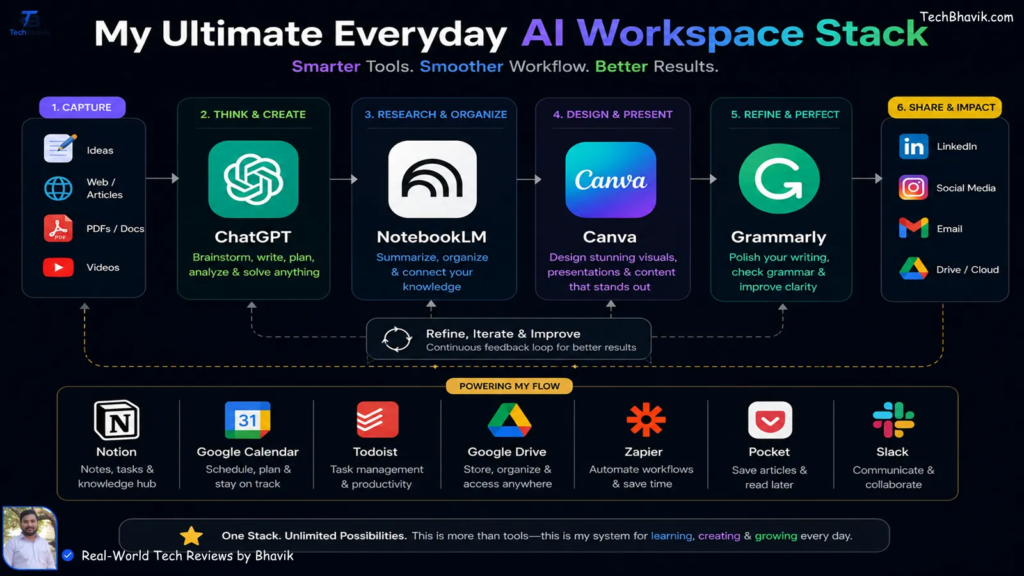
Best Free Trial Tools 2026: Try Premium Software for Free
Paying for software before knowing whether it actually works for you can be frustrating. You…

Best Meeting & Presentation Tools for Better Work in 2026
Meetings are a normal part of working life, but nobody enjoys a meeting that could…
Best Tools for Developers in 2026: Top Software & Ratings
Let’s be honest for a second. If you spend five minutes on Tech Twitter, Reddit,…

Best Team Collaboration Tools in 2026 for Better Teamwork
Let’s be honest about the modern workplace. “Working together” sounds great on paper until you…

Best Productivity Tools 2026: Compare Top Apps & Features
The user is asking for “fully huamnsed blog content and add human words” on top…