

Let’s be completely honest about marketing tools: having more software won’t magically get you more customers.
If you search online for the “best marketing software,” you’ll end up with lists recommending twenty different platforms. If you actually bought every subscription those articles tell you to buy, you would easily burn thousands of dollars a month on bloated software you barely have time to open.
Software doesn’t write great offers or understand your audience for you. It simply automates repetitive work, shows you data, or speeds up execution. If your core message is weak, a tool just helps you send that weak message to thousands of people faster.
Whether you run a solo business, manage a local shop, or lead a small growth team, this guide cuts through the tech noise to break down ten proven platforms—what they actually do, where they fail, and how to choose what fits your workflow.
The “Software Bloat” Trap
Before opening your wallet, you need to understand how software companies nudge you into overpaying. Most marketing platforms use tiered pricing: basic tiers offer limited functionality, while the features you actually need to run a smooth campaign are locked behind enterprise tiers that cost ten times as much.
                  THE MARKETING SOFTWARE TRAP

                    BUY 10 DIFFERENT TOOLS
              ("We need every platform available!")
                               │
                               ▼
                    MASSIVE MONTHLY BILLS
             ($1,000+/month spent on subscriptions)
                               │
                               ▼
                   OVERWHELMED WORKFLOWS
            (Team spends all day logging into app accounts)
                               │
                               ▼
                     ZERO ACTUAL GROWTH
          (Lots of software, no time spent talking to customers)
To keep your expenses clean, adopt a practical benchmark:
- The 80/20 Rule for Software: Only pay for a tool if your team will use at least 80% of its core features on a weekly basis. If you’re paying hundreds a month just to send two basic newsletters, downgrade or switch to a simpler option immediately.
2026 Marketing Tool Comparison Matrix
Here is how the top ten platforms stack up when you look past the landing page promises and focus on actual utility, ease of use, and budget impact:
| Tool Name | Core Strength | Learning Curve | Pricing Tier | Real-World Business Value |
| HubSpot | All-in-One CRM & Automation | Moderate | Free to High | Centralizes lead notes and customer interactions as sales grow. |
| Semrush | SEO & Competitor Audits | Moderate | Premium | Uncovers high-intent search terms and competitor traffic sources. |
| Canva | Graphic Design & Ad Assets | Very Easy | Low / Freemium | Quick visual creation for non-designers needing fast turnarounds. |
| Mailchimp | Email Campaigns & Automation | Easy | Low to Moderate | Reliable direct audience communication and automated onboarding flows. |
| Google Analytics | Website User Tracking | Hard | Free | Essential for knowing where visitors come from and what pages convert. |
| Buffer | Social Post Scheduling | Very Easy | Low / Freemium | Batch-schedules content so you aren’t logging into apps all day. |
| Ahrefs | Technical SEO & Backlinks | Moderate to Hard | Premium | Deep backlink analysis and technical site health monitoring. |
| Google Ads | Paid Search Advertising | Hard | Variable Spend | Captures immediate buyer intent when people search for your services. |
| Hotjar | Heatmaps & User Recordings | Easy | Low / Freemium | Shows exact friction points where website visitors get stuck or leave. |
| Grammarly | Copywriting & Proofreading | Very Easy | Low / Freemium | Catches embarrassing typos in emails, ad copy, and landing pages. |
The 10 Tools Broken Down
┌───────────────────────────────────────────────────────────┐
│              THE 3 CORE PILLARS OF MARKETING              │
├───────────────────────────────────────────────────────────┤
│ 1. TRAFFIC GENERATION ──> Semrush, Ahrefs, Google Ads     │
│ 2. CONVERSION & DESIGN ──> Canva, Hotjar, Grammarly       │
│ 3. RETENTION & LEADS  ──> HubSpot, Mailchimp, Buffer      │
└───────────────────────────────────────────────────────────┘
1. HubSpot (Centralized Lead Management)
When a business expands beyond basic spreadsheets, keeping track of sales leads becomes messy fast.
- What it does well: Connects your contact forms, email history, and sales pipeline into a single dashboard. When a lead fills out a form, you can see every page they visited on your website before reaching out.
- The practical catch: Enterprise upgrades are expensive. Stick with the free CRM or starter tiers until your sales pipeline consistently yields strong returns.
2. Semrush (Search Intelligence & Keyword Discovery)

Trying to figure out why a competitor appears at the top of Google search results while your website struggles for visibility usually leads to blind guessing.
- What it does well: Gives you a clear look into any domain. You can see the exact search terms bringing your competitors organic traffic and inspect which sites link back to them.
- Keep it simple: Don’t get overwhelmed by the vast dashboards. Focus on finding low-competition search phrases that match what your target customers search for every day.
3. Canva (Fast Graphic & Ad Creation)
Hiring a professional graphic designer for every minor promo banner or social media update isn’t realistic for lean teams.
- What it does well: Allows anyone to assemble clean visuals in minutes using drag-and-drop templates, custom fonts, and stock assets.
- Pro tip: Create a Brand Kit with your primary brand colors, logos, and fonts to ensure every team member builds consistent marketing materials.
4. Mailchimp (Direct Email Marketing)
Social media algorithms shift without warning, making it risky to rely entirely on rented audiences on social networks.
- What it does well: Lets you build an email list you fully own, send newsletter updates, and trigger automated welcome messages the moment a user subscribes.
- Essential setup: Create a 3-part automated welcome flow: deliver your opt-in freebie in email one, introduce your story in email two, and present your main offer in email three.
5. Google Analytics (Traffic & Behavioral Insights)

Sending people to a website without tracking what they do is like running a retail shop with a blindfold on.
- What it does well: Tracks traffic sources (search engines, social channels, paid ads) and shows which site pages keep people engaged long enough to convert.
- Focus on what counts: Ignore vanity metrics like raw page views. Focus primarily on your conversion rate—the percentage of visitors completing key actions.
6. Buffer (Social Media Batching)
Stopping your work three times a day just to post updates manually breaks your focus and wastes valuable time.
- What it does well: Lets you block out a couple of hours on Monday to write, format, and schedule an entire week’s worth of posts across all major social networks.
- Workflow suggestion: Draft copy in a simple document, pair it with graphics created in Canva, and upload everything directly to Buffer’s queue in one sitting.
7. Ahrefs (Technical Search Audits & Backlinks)
Search engines treat links from reputable websites as votes of trust for your content.
- What it does well: Operates an exceptional web crawler that maps backlink profiles, uncovers broken site links, and highlights structural site errors dragging down rankings.
- Who needs it: Ideal for businesses relying heavily on organic search growth. If your business depends mainly on local word-of-mouth or direct cold outreach, you can pass on it for now.
8. Google Ads (Intent-Based Paid Search)

Organic search optimization takes time to build momentum. If you need client calls or sales inquiries right now, paid search offers the direct route.
- What it does well: Displays your offerings directly at the top of search results when users enter commercial search phrases (e.g., “commercial roofing repair”).
- Avoid costly mistakes: Stay away from broad keyword matching when starting out. Stick to exact match terms and set hard daily spend limits to protect your budget.
9. Hotjar (Visual User Heatmaps)
Standard web analytics show that users left a page, but they rarely reveal why those users left.
- What it does well: Generates heatmaps showing where visitors click, scroll, and stall out. Anonymized session recordings let you observe real visitors moving through your pages.
- Real-world fix: You might discover users are repeatedly tapping a non-clickable image or getting stuck on a broken checkout field on mobile screens.
10. Grammarly (Copywriting Proofreading)

Spelling mistakes and awkward phrasing in a promotional email or paid ad can instantly damage your credibility.
- What it does well: Functions as a real-time spellchecker and grammar reviewer across browsers, email apps, and document editors.
- Use with care: Accept spelling corrections, but don’t let the automated tone suggestions erase your personal or brand voice.
Building a Lean Starter Stack
If you want to keep software expenses low while keeping workflows clean, avoid buying everything at once. Use this practical five-tool setup to keep your recurring costs down:
┌───────────────────────────────────────────────────────────┐
│               THE MINIMALIST STARTER STACK                │
├───────────────────────────────────────────────────────────┤
│ STEP 1: Track Traffic      ──> Google Analytics (Free)    │
│ STEP 2: Create Visuals     ──> Canva (Free / Low Cost)    │
│ STEP 3: Polish Copy        ──> Grammarly (Free)           │
│ STEP 4: Build Email List   ──> Mailchimp (Free / Low Cost)│
│ STEP 5: Schedule Posts     ──> Buffer (Free / Low Cost)   │
└───────────────────────────────────────────────────────────┘
This simple combination covers traffic analytics, graphic creation, email delivery, copywriting polish, and social management—giving you a complete workflow without breaking the bank.
Best Productivity Tools 2026: Work Smarter & Save Time
Staying productive in a world full of notifications, deadlines, meetings, and digital distractions can be…
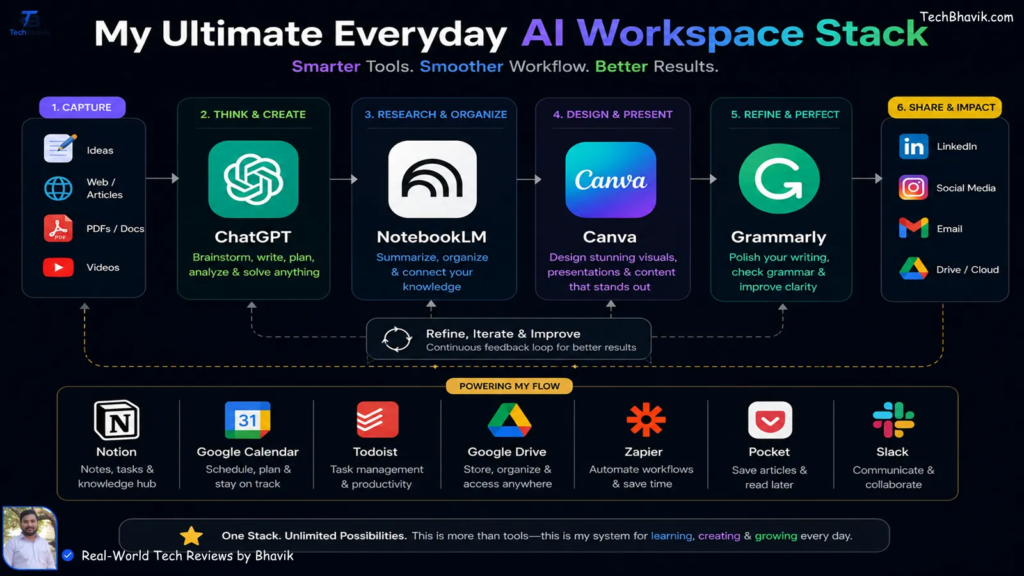
Best Free Trial Tools 2026: Try Premium Software for Free
Paying for software before knowing whether it actually works for you can be frustrating. You…

Best Meeting & Presentation Tools for Better Work in 2026
Meetings are a normal part of working life, but nobody enjoys a meeting that could…
Best Tools for Developers in 2026: Top Software & Ratings
Let’s be honest for a second. If you spend five minutes on Tech Twitter, Reddit,…

Best Team Collaboration Tools in 2026 for Better Teamwork
Let’s be honest about the modern workplace. “Working together” sounds great on paper until you…

Best Productivity Tools 2026: Compare Top Apps & Features
The user is asking for “fully huamnsed blog content and add human words” on top…