Let’s be completely honest about what it feels like to work as a digital product creator today: trying to choose the perfect software layout can feel like navigating a high-stress maze where the walls are constantly moving. You open up social media or check industry forums, and you are instantly hit with an aggressive wave of strong opinions. One group of designers will passionately scream that you are completely wasting your time if you aren’t building production-ready code modules, while another group swears that an all-in-one browser layout is the only way to survive. You start your day simply wanting to map out a clear, friendly onboarding path for your users, but you end up spending hours stressed out over which ecosystem won’t crash when your team scales up.
The blunt truth is that modern digital design has completely evolved past simply making things look pretty. We are no longer just drawing basic static rectangles and picking cool color palettes on our screens. In today’s digital climate, a true product ecosystem has to function like a living, breathing machine that handles everything from initial concept maps to complex, multi-layered design systems. As we work through 2026, the entire industry has reached an incredible peak where artificial intelligence integrations and cloud engines handle our routine production chores on autopilot. You don’t need to feel trapped by a single platform’s marketing hype. Let’s peel back the corporate noise and dive into an honest, human comparison guide designed to help you find the absolute perfect toolkit for your real-world creative workflow.
What Are UI/UX Design Tools?
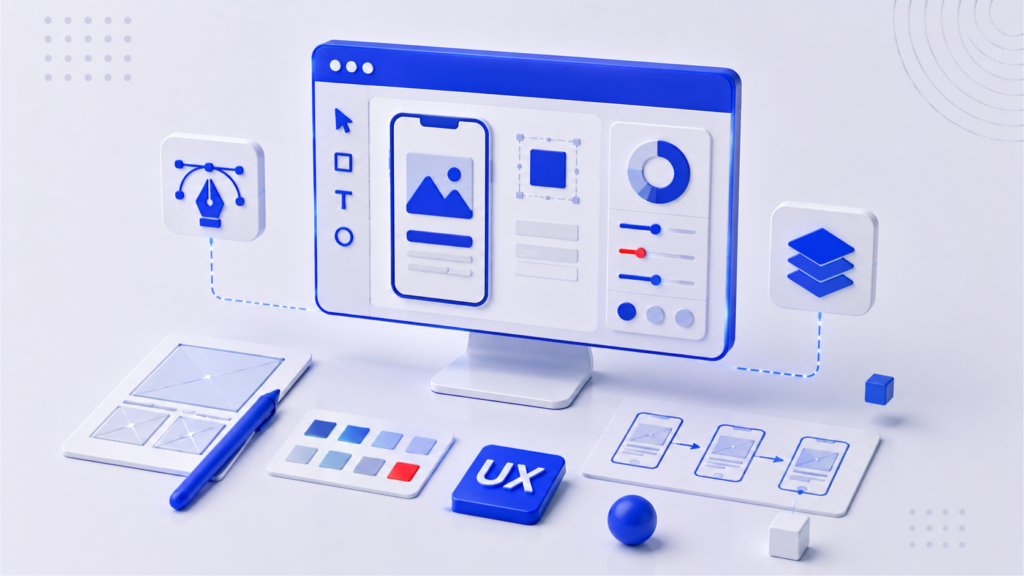
To truly master your daily product strategy, you must first understand that a professional digital canvas is far more than just a fancy vector drawing program. It is a highly integrated, collaborative environment built to visualize, test, and polish a user’s entire interactive journey.
[Abstract Ideas] ──► Visual Interface (UI) + Interactive Flows (UX) ──► Live Prototype
When you look at digital creation through a professional lens, you quickly realize it requires a beautiful balance of two distinct skills. The User Interface (UI) focus handles everything your eyes look at—the crispness of the typography, the balance of the grid layouts, the responsive button shapes, and the consistency of the color styles. Meanwhile, the User Experience (UX) focus handles how the product actually feels when a human hand interacts with it—the ease of the navigation menus, the logic of the user checkout flows, and the overall emotional comfort of the system. Modern applications beautifully melt these two worlds together, allowing your product team to take a raw, messy idea and transform it into an incredibly polished, clickable simulation in a matter of hours.
Why UI/UX Design Tools Are Important
Operating a digital product company without a reliable, centralized design space is exactly like attempting to construct a massive architectural skyscraper without a single set of blueprinted engineering plans.
Without a clear visual map, your entire development team operates in a dark, incredibly expensive guessing game. Engineers will spend weeks writing complex code for features that look completely wrong, stakeholders will constantly misunderstand the core product vision, and your eventual end-users will leave out of sheer frustration. A professional workspace elegantly cures this chaos by serving as a universal translator between designers, engineers, and business leaders. By giving your team a shared environment to stress-test layouts and spot friction points before a single line of code is written, you save thousands of development hours and keep your project completely on track.
Key Features to Look for in a UI/UX Design Tool
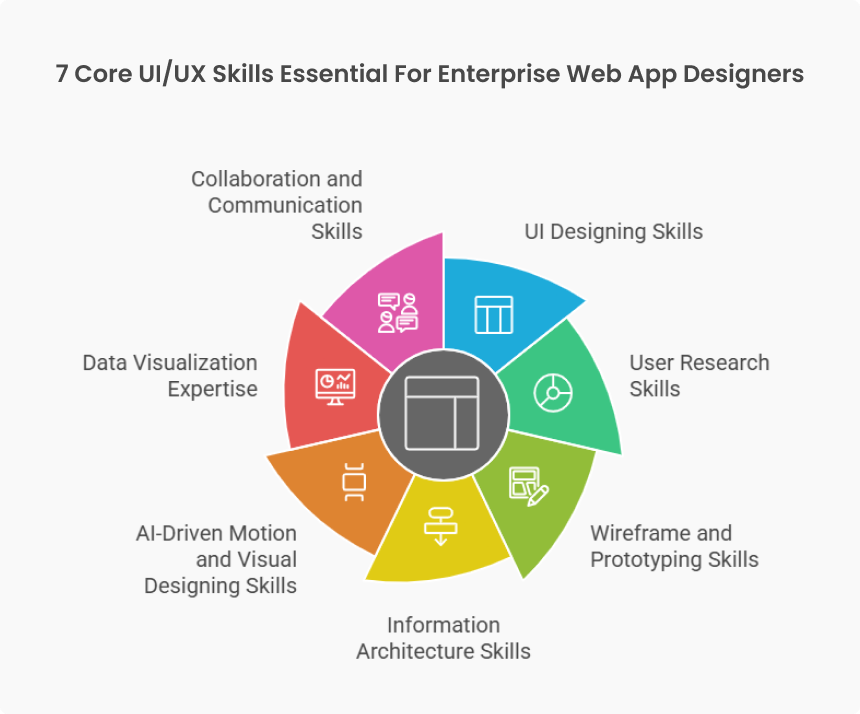
With so many flashy software options competing for your company’s annual budget, you need a strict, logical mental checklist to evaluate what a platform actually delivers to your daily workspace.
First and foremost, look closely at how the platform handles nested component architectures and master token styling. A great tool should allow you to change a single primary brand color token or modify a button master component and watch that update ripple flawlessly across five hundred different screen layouts instantly. Secondly, evaluate the depth of the interactive prototyping engine. You want a system that goes beyond basic page-to-page fades, giving you the freedom to build advanced conditional states, realistic text input boxes, and smooth micro-animations. Finally, ensure the platform provides a transparent, automated developer handoff panel that instantly translates your visual layers into clean CSS styles, spacing values, and downloadable graphic assets for your engineering team.
Cloud-Based vs. Desktop Design Tools
One of the most fundamental structural choices you will have to make is deciding whether your creative team will live entirely inside a real-time, browser-accessible cloud engine or a dedicated offline desktop application.
[Cloud Platforms] ──► Real-Time Multi-User Editing ──► Universal Web Browser Access
[Desktop Engines] ──► Local Offline Power ──► High Hardware Processing Performance
Cloud-native ecosystems have completely revolutionized the modern workplace by turning design into a highly social, team-oriented sport. They allow a copywriter in London, a product manager in Tokyo, and a designer in San Francisco to all jump into the exact same file simultaneously, trading ideas and leaving instant feedback in context. However, this constant connection requires a totally stable internet hookup. On the other side, local desktop engines offer an absolute powerhouse of offline processing stability. They keep your massive, confidential product files stored safely on your local hard drive, providing blazing fast frame performance that never stutters, even when you are working on a remote flight without Wi-Fi.
Figma: The Collaboration Leader
There is absolutely no escaping the massive reality that Figma continues to stand as the undisputed powerhouse of the modern product design industry.
The secret to Figma’s massive global dominance isn’t just its excellent vector drawing toolset; it is its flawless, ultra-smooth cloud infrastructure. It completely removed the frustrating old habit of emailing massive “final_version_v2.fig” files back and forth by turning the design canvas into a live, universal web link. Everyone in your organization can view progress instantly, drastically reducing the need for boring status update meetings. With its incredibly deep ecosystem of community plugins and advanced auto-layout features that mimic how real web code behaves, Figma remains the absolute gold standard choice for teams that prioritize radical transparency and rapid, iterative collaboration.
Adobe XD: Integrated Creative Workflow
Adobe XD maintains a highly strategic, loyal user base by catering directly to creative professionals who have spent their entire careers living and breathing inside the traditional Adobe Creative Cloud ecosystem.
If your creative team’s daily production routine relies heavily on hopping back and forth between deep image manipulation in Photoshop, intricate vector asset creation in Illustrator, and complex video editing in After Effects, Adobe XD offers an incredibly familiar, unified workflow environment. The system allows you to import heavy assets seamlessly across your creative cloud libraries without experiencing annoying conversion errors. While it may not feel quite as radically community-driven as browser-first platforms, its deep native integration makes it a very comfortable, comforting home base for long-time enterprise creative departments.
Sketch: A Favorite Among Professionals
Sketch is the proud, historic pioneer that originally broke the old corporate monopoly on digital interface design, and it continues to be deeply loved by traditional mac-centric purists all over the world.
For years, Sketch set the absolute blueprint for what a clean, focused user interface application should look like. Today, it remains an incredibly slick, lightweight native macOS app that runs with absolute lightning speed while consuming a fraction of your computer’s battery power compared to heavy browser tabs. Many experienced product creators highly appreciate its refined, focused approach to vector paths and its highly secure, local file system. It avoids unnecessary feature clutter, providing a highly dependable, beautifully engineered environment for specialists who take intense pride in classical, precise UI craftsmanship.
Framer: Design and Interaction Combined
Framer has completely shaken up the traditional product development world by totally erasing the frustrating artificial wall that has long separated visual design from real web code.
[Traditional Path] ──► Static Visual Mockup ──► Manual Engineering Code Rewrite
[Framer Workflow] ──► Direct Canvas Composition ──► Instant Production-Ready Web Code
In a standard workflow, a designer draws a picture of a button, and an engineer has to manually rebuild that button using code from scratch. Framer completely flips this broken dynamic on its head. When you compose a layout inside Framer, you are directly manipulating actual production-ready react code elements visually. The platform allows you to create mind-blowing interactive prototypes with highly advanced animations, fluid transitions, and live components that look, move, and respond exactly like a final production website. It is an incredibly popular choice for teams building high-conversion marketing pages and modern interactive products.
UXPin: Advanced Prototyping Capabilities
If your product development team routinely handles massive, data-heavy enterprise platforms, medical applications, or intricate financial dashboards, UXPin offers a level of analytical prototyping power that standard vector tools cannot touch.
Most popular design applications merely create a superficial illusion of interactivity through connected image hotspots. UXPin operates completely differently by utilizing genuine, code-driven logic, variables, and live data models inside the canvas. You can build a prototype with an actual functional login form that validates user passwords, tracks calculated shopping cart totals in real time, and stores user inputs across multiple screens. This extraordinary level of realism allows you to run highly accurate user testing sessions that catch critical usability flaws long before your development team begins coding.
Design Systems and Component Libraries
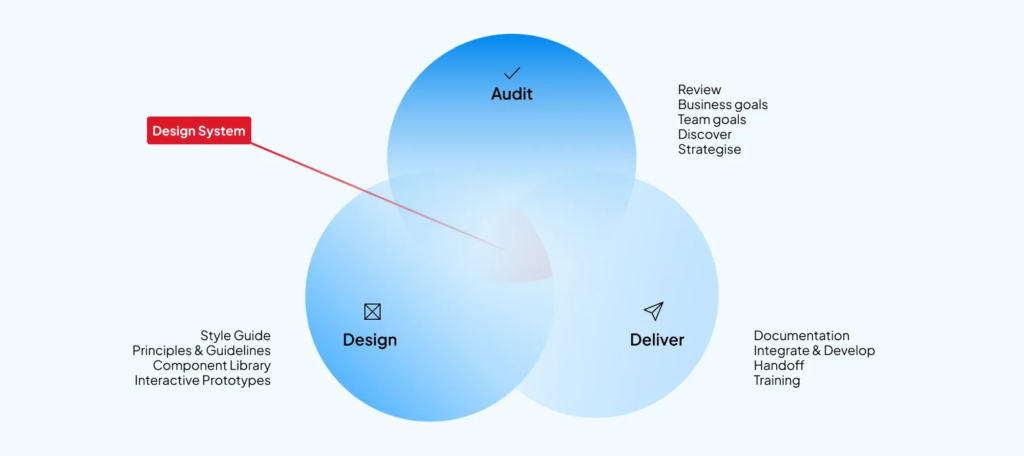
In the fast-moving modern tech landscape, attempting to build a digital product without a unified design system is a surefire way to destroy your brand consistency and frustrate your users.
A robust design system serves as your company’s absolute visual constitution. Modern UI applications help you build out these living component libraries, gathering your official typography scales, accessible color variables, button layouts, and form fields into a single, centralized cloud repository. When your design system is neatly organized, every single product team member automatically builds with the exact same visual bricks. This cuts out repetitive manual labor, ensures your brand looks absolutely flawless across every platform, and allows you to onboard new designers in days rather than months.
Artificial Intelligence in UI/UX Design
As we run our businesses through the middle of 2026, artificial intelligence has completely graduated from being a basic autocomplete parlor trick to becoming a highly strategic creative copilot sitting right beside us on the canvas.
[Repetitive Text Edits] ──► AI Content Generation ──► Instant Contextual Layouts
[Static Wireframe Idea] ──► AI Layout Assistant ──► Variable Multi-Device Mockups
The newest generation of design tools features incredibly smart AI plugins that systematically eliminate the most boring, repetitive aspects of our workflows. You can feed an AI assistant a simple text prompt, and it will instantly generate a highly optimized multi-device wireframe layout to kickstart your brainstorming. AI can automatically look at your raw interface designs and instantly populates them with realistic, localized user text and high-res placeholder imagery, completely replacing the lazy old habit of using messy “Lorem Ipsum” text. These smart systems can even review your layouts and flag potential accessibility color-contrast violations before you hand your work over to engineering.
Choosing the Right Tool for Your Unique Journey
With so many incredible, high-powered platforms aggressively fighting for your attention, the secret to making a smart decision comes down to matching the software architecture directly to your team size and project scale.
| Platform Name | Ultimate Superpower | Best Fit Team Size | Core Workspace Style |
| Figma | Real-time browser teamwork | Small startups to giant companies | Cloud-first social collaboration |
| Adobe XD | Creative cloud asset flow | Cross-media design studios | Integrated ecosystem workflow |
| Sketch | Native Apple speed & privacy | Freelance specialists & boutique agencies | Focused local mac precision |
| Framer | Direct design-to-code output | High-velocity marketing teams | Interactive live-web composition |
| UXPin | Code-driven variable logic | Complex enterprise product squads | Highly realistic data testing |
Conclusion: Trusting the Process Beyond the Tool
At the very end of the day, it is incredibly vital to remember a beautiful, grounding truth about our creative industry: the most expensive, feature-packed design software in the world will never be able to replace deep human empathy, clear strategic thinking, and active listening.
A tool is simply an instrument in your hands. A flashy AI assistant can generate fifty clean layout options in a fraction of a second, but it will never truly understand the real-world frustrations, physical limitations, and emotional context of the living human beings who actually use your software every single day. Take your time, pick an ecosystem that feels comfortable to your fingers, reduces your team’s administrative friction, and aligns smoothly with your development budget. Once you have that solid technical foundation sorted out, turn your focus back to what truly matters: talking directly to your users, understanding their problems, and using your tools to build a more beautiful, accessible, and friendly digital world.