
Productivity is no longer just about working harder—it’s about working smarter. Whether you’re a student, freelancer, entrepreneur, remote employee, or business owner, the right productivity tools can help you organize tasks, collaborate with teams, manage time effectively, and accomplish more with less effort.
In 2026, productivity software has become more intelligent than ever. Artificial intelligence (AI), cloud collaboration, automation, and seamless integrations allow users to simplify repetitive tasks and focus on meaningful work. However, with hundreds of tools available, choosing the right one can be challenging.
This guide compares some of the best productivity tools available in 2026, highlights their strengths, and explains how to choose the right solution for your personal or professional needs.
Why Productivity Tools Matter
Productivity tools help individuals and teams stay organized, reduce manual work, and improve efficiency. Instead of juggling multiple spreadsheets, emails, and notebooks, users can centralize tasks, schedules, communication, and documents in one place.
These tools also improve collaboration by allowing teams to work together in real time, track project progress, and share updates instantly.
As workplaces continue adopting hybrid and remote work models, productivity software has become an essential part of everyday business operations.
Features to Look for in Productivity Tools
Not every productivity platform offers the same capabilities.
Before choosing a tool, consider whether it includes:
- Task management
- Calendar integration
- Cloud storage
- Team collaboration
- AI-powered automation
- Mobile accessibility
- Custom dashboards
- Third-party integrations
- File sharing
- Data security
The best platform is one that fits your workflow rather than offering the highest number of features.
Top Productivity Tools Compared
The following table compares some of the most popular productivity tools in 2026.
| Tool | Best For | Key Strength |
|---|---|---|
| Notion | Notes & Knowledge Management | Flexible all-in-one workspace |
| Trello | Task Management | Simple visual Kanban boards |
| Asana | Project Management | Team collaboration and workflow tracking |
| ClickUp | Business Productivity | Highly customizable work management |
| Microsoft 365 | Office Productivity | Integrated documents, spreadsheets, and communication |
| Google Workspace | Cloud Collaboration | Real-time document editing |
| Slack | Team Communication | Instant messaging and integrations |
| Todoist | Personal Task Management | Clean interface and reminders |
| Evernote | Note Organization | Powerful search and note management |
| Monday.com | Team Planning | Visual project tracking and automation |
Each tool serves different purposes, so your choice should depend on your daily work requirements.
Notion: The All-in-One Workspace
Notion continues to be one of the most versatile productivity platforms.
It combines note-taking, documentation, databases, task management, project planning, and collaboration into a single workspace.
Students use it for organizing study materials, while businesses rely on it for knowledge management and project documentation.
Its customizable pages make it suitable for both personal and professional workflows.
Trello for Visual Task Management
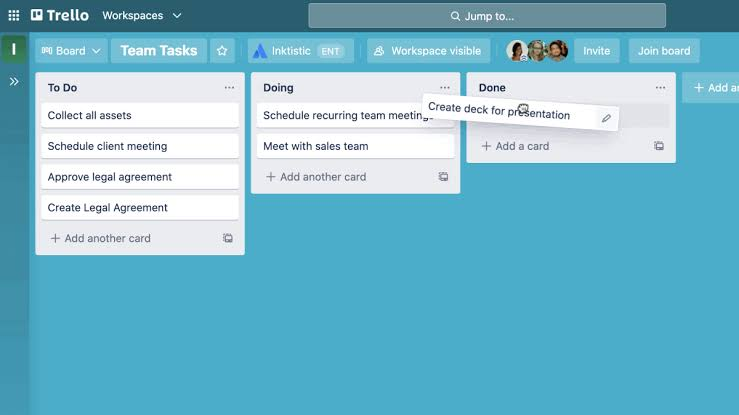
Trello is known for its simple Kanban board system.
Users organize tasks into columns such as “To Do,” “In Progress,” and “Completed,” making project tracking highly visual and easy to understand.
Small teams and freelancers often appreciate Trello’s straightforward interface and minimal learning curve.
Power-ups and integrations also extend its functionality.
Asana for Team Collaboration
Asana is designed to help teams manage complex projects.
It allows users to assign tasks, set deadlines, monitor progress, and automate workflows.
Project managers benefit from detailed reporting features, timeline views, and workload management tools that improve coordination across departments.
Its flexibility makes it suitable for businesses of all sizes.
ClickUp: A Complete Work Management Platform
ClickUp offers a wide range of productivity features within one platform.
Task management, documents, goals, time tracking, dashboards, chat, and automation are all integrated into a highly customizable workspace.
Organizations looking to replace multiple software subscriptions often choose ClickUp because it centralizes many business operations.
Its extensive customization options make it particularly attractive for growing businesses.
Microsoft 365
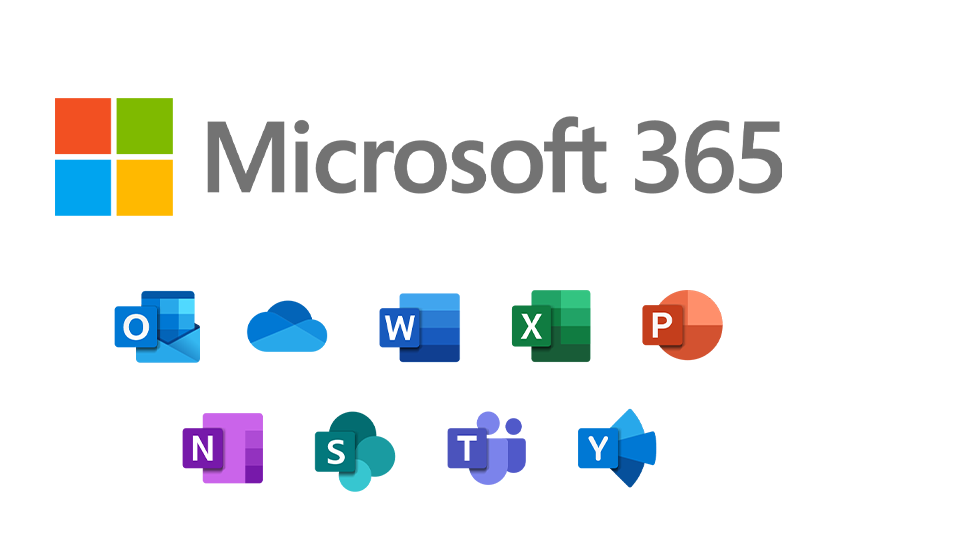
Microsoft 365 remains one of the most widely used productivity suites worldwide.
Applications like Word, Excel, PowerPoint, Outlook, Teams, and OneDrive provide businesses with a comprehensive ecosystem for communication and document management.
Cloud synchronization allows users to access files across multiple devices while collaborating in real time.
Its familiarity also reduces the learning curve for many professionals.
Google Workspace
Google Workspace continues to be a popular choice for cloud-based collaboration.
Google Docs, Sheets, Slides, Gmail, Calendar, Drive, and Meet work seamlessly together, enabling teams to collaborate from virtually anywhere.
Real-time editing, automatic saving, and easy sharing make Google Workspace especially valuable for remote teams and educational institutions.
Slack for Business Communication
Slack simplifies workplace communication by replacing lengthy email conversations with organized channels and direct messaging.
Teams can create dedicated spaces for projects, departments, and announcements while integrating hundreds of third-party applications.
Quick communication improves collaboration and reduces delays in decision-making.
Todoist for Personal Productivity
Todoist focuses on helping individuals organize daily tasks.
Users can create projects, set recurring reminders, prioritize work, and monitor productivity trends.
Its clean interface makes it ideal for professionals who want a simple but effective task management solution without unnecessary complexity.
AI Is Transforming Productivity

Artificial intelligence has become one of the biggest productivity trends in 2026.
Many platforms now include AI assistants that generate meeting summaries, organize notes, suggest task priorities, automate repetitive processes, and even draft documents.
Rather than replacing human decision-making, AI helps users save time by handling routine administrative work.
Learning how to use AI effectively is becoming an important productivity skill.
Choosing the Right Productivity Tool
Selecting the best software depends on your goals.
Students may prioritize note-taking and organization, freelancers often need task management and time tracking, while businesses usually require collaboration, workflow automation, and reporting.
Consider factors such as ease of use, scalability, pricing, integrations, customer support, and long-term flexibility before making a decision.
Testing free versions can help determine whether a platform fits your workflow.
Common Productivity Mistakes
Owning multiple productivity tools doesn’t automatically increase efficiency.
Many users create overly complicated systems that require excessive maintenance.
Other common mistakes include failing to prioritize tasks, ignoring automation features, and switching platforms too frequently.
Keeping your workflow simple and consistent often leads to better long-term productivity.
Productivity Trends in 2026
Several trends continue shaping modern productivity software.
AI-powered assistants are becoming more advanced, while automation is reducing repetitive administrative work.
Hybrid work support, stronger cybersecurity, deeper software integrations, and personalized dashboards are also becoming standard features.
Businesses are increasingly choosing platforms that combine multiple functions into a single workspace to improve efficiency and reduce software costs.