
Look, let’s be totally real for a second—internal workplace communication can either make your job a breeze or turn your daily routine into a living nightmare.
When your team actually knows where to post a quick update, where to drop a design file, and when to just jump on a quick 2-minute call, work flows smoothly. You log off at 5:00 PM feeling like you actually accomplished something.
But when your work chatter is scattered across six different platforms, buried under 40 unread email threads, and hidden in random group texts? It’s pure chaos. You spend half your afternoon playing digital archaeologist, desperately digging through search bars just trying to answer one simple question: “Wait… where did we talk about that project update again?”
That’s why picking the right team communication tool in 2026 isn’t just an IT decision—it’s a sanity decision.
Between Slack, Microsoft Teams, Zoom, Google Chat, and Discord, everyone promises to “revolutionize how your team works.” But here’s the truth: there is no single best app for everyone. The right tool depends on whether your team loves typing, hates meetings, lives inside spreadsheets, or just wants everyone to shut up so they can get actual work done.
The No-Nonsense Breakdown: 2026’s Top Contenders
If you don’t have time to read a 10-page software manual, here is the honest, unfiltered truth about how these apps actually stack up in everyday work life:
| Tool | Who It’s ACTUALLY Good For | The Best Thing About It | The Most Annoying Thing About It |
| Slack | Startups, tech teams, & fast-paced creative agencies | Feels like a modern chat app. Insane library of app integrations. | Notification overload will ruin your evening if you don’t mute it. |
| Microsoft Teams | Corporate companies already paying for Microsoft 365 | Keeps chat, video, Excel, and Word under one giant corporate roof. | Feels heavy, clunky, and slow if you just want to send a quick text. |
| Zoom | Teams that practically live on video calls all day long | Rock-solid video quality that rarely stutters, even on bad Wi-Fi. | Text chat features feel like an afterthought compared to Slack or Teams. |
| Google Chat | Lean businesses running completely on Google Workspace | Built right into Gmail, Docs, and Drive—zero extra setup needed. | Lacks advanced, power-user chat features and custom integrations. |
| Discord | Creative crews, developers, & informal remote teams | Casual “always-open” voice channels make pop-in chats effortless. | Looks and feels like a gaming platform (because it originally was). |
1. Slack: The Fast-Paced Startup Darling
Slack basically invented the modern workplace chat format, and honestly, it’s still the gold standard if your company lives and breathes written chatter.
Its channel system (#marketing, #dev-bugs, #random-memes) makes organizing projects simple. Plus, it connects to almost every web service on earth. You can have your Google Calendar notify you of upcoming meetings right inside Slack, or have a bot post a message whenever a customer buys something on your site.
Why people love it:
It feels fast, modern, and human. Using threads keeps long conversations contained so they don’t clog up the main feed, and custom emoji reactions let you acknowledge a message in two seconds without typing out “Okay, thanks!” forty times a day.
The catch:
Slack can easily become a second full-time job. If your company creates a channel for every tiny thought and doesn’t set strict boundaries, employees end up spending 4 hours a day reading red notification badges instead of doing deep, focused work.
2. Microsoft Teams: The Corporate Heavyweight
If your company is already paying for Microsoft 365 (Word, Excel, PowerPoint, Outlook), Teams is almost a no-brainer because it’s usually bundled right into your subscription.
Instead of jumping between four different apps, Teams puts your department chats, your video calls, and your shared SharePoint files inside one single desktop window. Two people can literally edit the same Word document directly inside a Teams chat window while talking to each other.
Why companies choose it:
It’s an enterprise powerhouse. IT directors love it because the security features are top-notch, user permissions are centralized, and you don’t have to manage another third-party software vendor bill.
The catch:
It feels like a massive, heavy piece of corporate enterprise software. It can be slow to load, the navigation isn’t always intuitive, and for a small 5-person team that just wants a fast room to chat in, Teams can feel like driving a semi-truck to the corner grocery store.
3. Zoom: The Video Call Specialist
We all know Zoom. During the remote work boom, “Zooming” became a universal verb for a reason: when you click a Zoom link, the video just works.
While Zoom has added team chat, phone systems, and whiteboards over the years, video remains its core superpower. If your business runs on client presentations, webinars, remote training sessions, or multi-person panel discussions, Zoom is still hard to beat.
Why people keep it:
It handles spotty internet connections better than almost anyone else. Breakout rooms are seamless for workshops, background blur works reliably, and recording calls to the cloud takes one click.
The catch:
It is fundamentally a meeting app. If your team relies heavily on fast, continuous text messaging throughout the workday, trying to use Zoom Team Chat as your main hub often feels clunky compared to a dedicated platform like Slack.
4. Google Chat: The Unsung Hero of Google Workspace
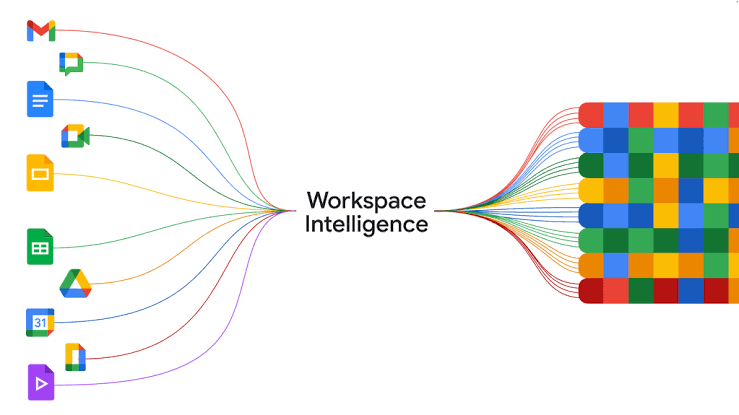
If your company’s entire life exists inside Gmail, Google Calendar, Google Drive, and Google Meet, adding another $8/user/month subscription for Slack might feel completely unnecessary.
Google Chat lives right inside your Gmail tab. When someone drops a Google Doc link into a Google Chat room, everyone gets instant permission access, and you can collaborate on the side without leaving your inbox.
Why teams adopt it:
Simplicity and cost. There is zero extra software to install, no new passwords for your employees to remember, and if you already pay for Google Workspace, it’s effectively “free.”
The catch:
It’s fairly basic. If you love deep software customizations, complex automated workflows, or rich formatting options, Google Chat can feel a little plain and rigid.
5. Discord: The Casual, Voice-First Playground
Discord started out as an app for gamers to talk while playing online matches, but over the last few years, a surprising number of creative agencies, software developers, and informal remote teams have adopted it.
Its killer feature is the drop-in voice channel. Instead of scheduling a formal 30-minute Zoom call, putting it on a calendar, and waiting for a link, you just click into a voice room called “Design Lounge.” Anyone else in the room can hear you speak, drop in to bounce an idea off you, and leave when they’re done.
Why niche teams love it:
It completely eliminates the awkward stiffness of scheduled meetings. It feels like sitting at desks next to your coworkers in a physical office.
The catch:
It looks like a gaming app. It lacks corporate compliance controls, enterprise administrative tools, and formal security features that big companies demand. Try explaining Discord to a corporate legal department and watch their eyes roll back.
The Hidden Trap: Communication vs. Collaboration
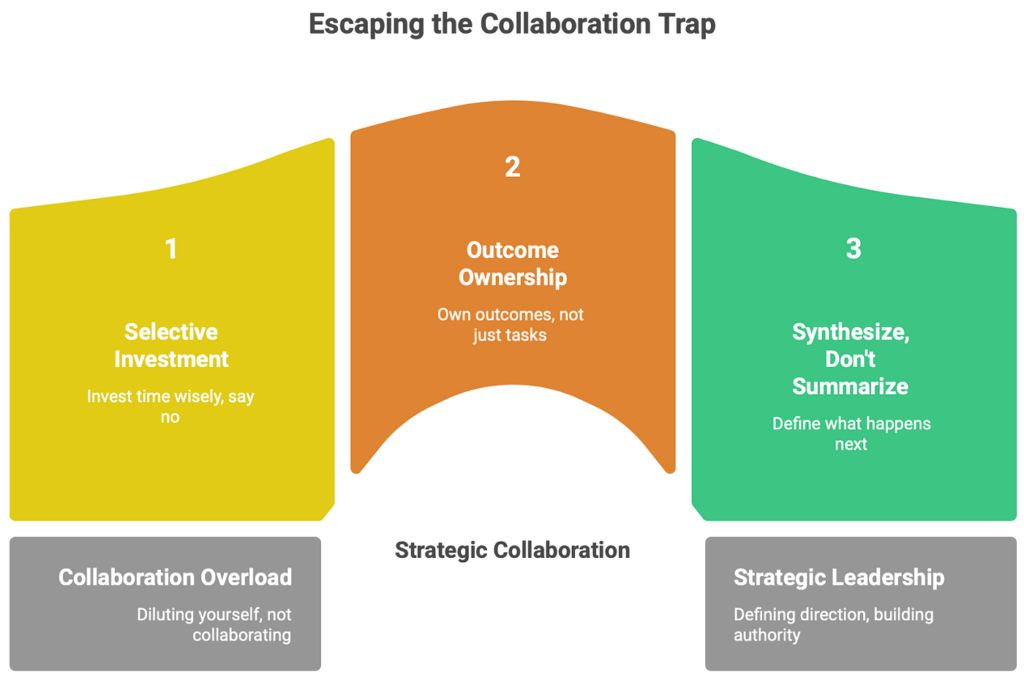
A lot of team leaders confuse communication with collaboration, but they are two very different things:
- Communication is exchanging information. (e.g., “Hey Sarah, did you finish that draft?”)
- Collaboration is actually working together on the asset. (e.g., Sarah and Tom editing line 42 of a spreadsheet together in real-time.)
When you pick a tool, ask yourself: Are we just trying to talk faster, or do we need to work inside the same files simultaneously? If you just need fast talking, Slack or Discord shine. If you need heavy file co-authoring, Teams or Google Workspace win every single time.
Real-World Advice: How to Prevent Your Team From Hating Their Apps
No matter which app you buy, your team will eventually hate it if you don’t set ground rules. Here are four real-world rules to save your team’s sanity:
1. Define “Urgent” vs. “Whenever”
If everything is marked as urgent, nothing is urgent. Make a clear rule:
- Need an answer in 5 minutes because the site is down? Call them or send a direct text.
- Need an answer by the end of the day? Post in the project channel.
- Need an answer sometime this week? Send an email or drop it in a doc.
2. Kill the “Hey” Messages
Nothing induces workplace anxiety like receiving a message that just says “Hey…” followed by five minutes of silence while the other person slowly types. Train your team to ask the actual question in the very first message: “Hey John, do you have the updated logo file for the client deck?”
3. Respect Asynchronous Work
If you have team members in different time zones (or folks working flexible hours), stop expecting instant replies to a chat message sent at 8:00 PM. Encourage people to set “Do Not Disturb” hours and turn off notifications when they log off for the day.
4. Stop Turning 2-Minute Questions Into 30-Minute Meetings
If a text chat thread reaches 20 messages and people are still confused, stop typing. Hit the call button, talk for 90 seconds, agree on a solution, write down the decision in the channel, and hang up. Everyone’s calendar will thank you.
How AI Is ACTUALLY Changing Team Apps in 2026

We can’t talk about 2026 software without mentioning AI, but let’s ignore the marketing hype and focus on what actually helps you get home earlier:
- Catch-Up Summaries: You come back from a 3-day vacation to find 400 unread messages in a project channel. Instead of reading every line, click “Summarize” and get a 3-bullet-point breakdown of what actually happened.
- Instant Meeting Recaps: You missed a 45-minute video call because of a doctor’s appointment. Modern AI tools generate a full transcript, extract the key decisions, and tag you in a list of action items assigned to your name.
- Smart Search: Instead of guessing exact keywords from three months ago, you can type “What was the final budget we agreed on for the fall launch?” and the app finds the specific buried thread for you.