
Modern learning has undergone a massive shift recently. You no longer have to rely solely on thick, dry textbooks, scribbled classroom notes, or long, exhausting study sessions in the library. Today, smart education tools and online learning platforms help us break down tough topics, keep our daily chaos organized, practice fresh skills, and learn at a speed that actually fits our lives.
However, having too many options can easily turn into a total headache. It is far too easy to download one app for quick notes, another for digital flashcards, a third for managing assignments, and then realize you are spending more time switching between tabs than actually studying.
That is why picking the right set of education tools in 2026 really matters. The goal isn’t to find the app with the most bells and whistles. You want simple, reliable tools that streamline your daily workflow, clarify tough ideas, and take the stress out of studying. Whether you are in high school, grinding through college, teaching a class, or picking up a new skill on your own, this guide covers the tools worth your time and how to use them effectively.
Why the Right Tools Matter in 2026
Learning today is far more fluid than it used to be. You can catch a video lesson on your commute, review flashcards on your phone while waiting in line, collaborate with classmates across town, or ask an AI assistant to rephrase a confusing formula into plain English.
The biggest win is sheer flexibility. You can study when your brain is actually sharp, rather than forcing yourself to absorb complex information during a lecture when you’re running on low energy. Digital tools also make study sessions far more interactive. Instead of staring at a page and hoping the text sticks, you can test yourself with quick quizzes, visual simulations, or short practice runs.
Here is a quick look at how different tools solve everyday study problems:
| What You Are Struggling With | The Tool Type You Need | What It Actually Does for You |
| Messy notes scattered everywhere | Digital note-taking apps | Keeps your thoughts, links, and PDFs in one searchable place |
| Blanking out during exams | Flashcard & memory apps | Forces active recall so facts actually stick in your long-term memory |
| Wasting hours looking for sources | Research & academic search tools | Cuts through web noise to find credible papers and data quickly |
| Clunky sentences & typos | Writing & grammar assistants | Polishes your tone, fixes awkward phrasing, and catches errors |
| Keeping up with self-paced topics | Online learning platforms | Lets you pause, rewind, and master skills on your own schedule |
| Sloppy group project work | Team collaboration tools | Tracks who is doing what so nobody gets stuck carrying the team |
| Overwhelmed by massive workloads | Planning & calendar apps | Breaks giant tasks into realistic daily bite-sized steps |
| Pre-test anxiety & self-testing | Quiz & practice platforms | Pinpoints your weak spots long before exam day arrives |
AI Learning Assistants
AI has completely reshaped how we approach difficult material. In 2026, an AI assistant acts as a 24/7 tutor that can reword complex concepts, brainstorm essay outlines, summarize dense readings, and generate targeted practice questions on demand.
If you hit a brick wall while studying a tricky physics concept or an obscure economic theory, you can prompt an AI tool to explain it as if you were a complete beginner. From there, ask follow-up questions, request real-world examples, or ask for analogies until the lightbulb finally goes off.
Pro Tip: Treat AI as a study partner, not a copy-paste shortcut. Try solving a problem on your own first. If you get stuck, show the AI your attempt and ask, “Where did my logic break down?” That simple habit turns a potential crutch into real understanding.
Online Learning Platforms

Online course platforms mean you can master practically anything from your desk—whether that is Python programming, financial modeling, graphic design, conversational Spanish, or digital marketing.
These platforms shine because they cater to your personal pacing. If an instructor speaks too fast, slow the video down. If a concept feels hazy, rewind and replay it three times. If you already know the basics, skip ahead to the advanced modules.
Before committing your time or money to an online course, check these factors:
- Curriculum Depth: Does it cover practical projects or just surface-level theory?
- Instructor Track Record: Is the instructor a practitioner with real field experience?
- Recent Reviews: Are students from the past few months finding the content updated and relevant?
- Skill Match: Does the prerequisite list match where you are starting today?
Digital Note-Taking Tools

Loose sheets of paper, scribbled sticky notes, random screenshots, and buried PDFs are an absolute recipe for stress when finals roll around. Digital note apps eliminate that mess by creating a single source of truth for your studies.
Modern note tools let you mix typed text, hand-drawn diagrams, web clips, images, and audio snippets into organized notebooks. Better yet, instant search means you can find a specific term or lecture slide from three months ago in seconds.
A Simple Setup for Organized Digital Notes:
- Subject Hubs: Create a dedicated notebook or workspace for each course.
- Post-Class Summaries: Write a 3-to-4 sentence summary in your own words right after a lecture.
- Visual Highlights: Bold key terms and use color accents sparingly for core definitions.
- The “Unresolved” List: Keep a running list of questions at the bottom of your notes to ask your instructor later.
- Resource Linking: Drop direct links to relevant articles, slide decks, or video tutorials inside the note page.
Flashcard and Revision Tools
Simply reading over your highlighted textbook notes five times gives you a false sense of security. It makes you feel like you know the material because it looks familiar, but recognition is not the same as recall.
Flashcards harness active recall—forcing your brain to pull information out of memory without looking at the answer first.
[ Front of Card: What is Active Recall? ]
                     │
                     ▼ (Your brain searches for the answer)
                     │
[ Back of Card: Retrieving information from memory without clues. ]
When paired with spaced repetition, these tools automatically track how well you know each card. Cards you find difficult pop up frequently, while cards you get right get pushed out days or weeks into the future, saving you hours of redundant review.
Writing and Grammar Tools
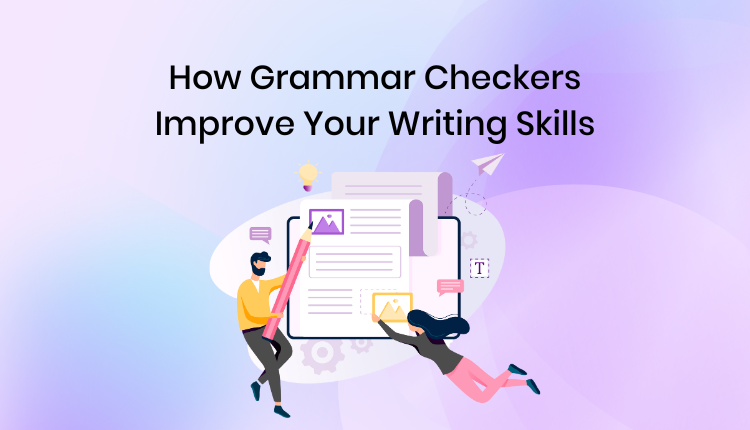
Drafting an essay or research paper can feel like trying to spin multiple plates at once: you are juggling argument structure, citation rules, correct vocabulary, and basic grammar simultaneously.
Smart writing assistants step in like an extra set of eyes. They catch subtle typos, highlight run-on sentences, suggest clearer verbs, and warn you if your tone sounds a bit off.
- Keep Your Voice: Do not let a software tool rewrite every sentence into stiff, overly formal jargon. Your papers should sound like an articulate version of you.
- Focus on Flow: Fix structural issues and awkward transitions first before worrying about micro-level word choices.
- Double-Check Suggestions: Software often misses context. If an automated suggestion changes the underlying point of your sentence, reject it.
Research and Study Tools
The internet is packed with information, but finding high-quality, trustworthy academic sources can feel like searching for a needle in a haystack. Specialized research tools filter out clickbait blogs and unverified posts, surfacing peer-reviewed papers, reliable statistics, and official reports instead.
A Practical 6-Step Research Workflow:
[1. Define Need] ──► [2. Targeted Search] ──► [3. Compare Sources]
                                                      │
[6. Draft & Cite] ◄── [5. Save Citations] ◄── [4. Verify Credibility]
- Step 1: Define the Core Question: Write down exactly what claim or thesis you are trying to support.
- Step 2: Use Specific Keywords: Combine niche industry terms rather than typing broad, generic search phrases.
- Step 3: Cross-Check Findings: Never rely on a single source; verify facts across at least two or three independent outlets.
- Step 4: Check Credibility: Inspect publication dates, author backgrounds, and funding disclosures.
- Step 5: Organize Citations Immediately: Save direct links and citation details right as you find them, not at 2 AM the night before your paper is due.
- Step 6: Synthesize in Your Own Words: Translate the core findings into your own words instead of relying on heavy block quotes.
Time Management and Planning Tools
Often, the problem isn’t a lack of motivation—it’s that a massive, vague assignment feels too intimidating to start. Sitting down to “study for history” is confusing, whereas tackling a specific 20-minute task gives you instant momentum.
Planning tools let you break large projects into tiny, actionable steps. Instead of putting a giant block of text on your to-do list, split your work into clear checkpoints.
| Day | Primary Study Focus (High Energy) | Secondary Task (Low Energy) | Time Commitment |
| Monday | Work through Calculus Chapter 3 practice problems | Organize study folder & clean desktop | 90 Mins |
| Tuesday | Draft outline for History term paper | Review 20 Spanish vocabulary cards | 60 Mins |
| Wednesday | Watch Physics lab demonstration & take notes | Email professor clarification questions | 75 Mins |
| Thursday | Write first 500 words of Literature essay | Quick review of Calculus formulas | 90 Mins |
| Friday | Complete Chemistry online quiz practice | Clear out remaining email inbox items | 45 Mins |
| Saturday | Deep work session: Edit & polish essay draft | Peer review project slides with group | 120 Mins |
| Sunday | Weekly planning & schedule check | Light reading for upcoming lectures | 30 Mins |
Group Collaboration Tools
Group projects have a reputation for being stressful, mostly because communication breaks down and tasks get lost in endless chat threads. One person rushes ahead, another forgets their assignment, and everyone ends up scrambling hours before the deadline.
Dedicated collaboration spaces solve this by keeping shared files, task assignments, and progress tracking in plain sight.
How to Keep Group Projects Painless:
- Assign Ownership Early: Ensure every single section of a project has a single owner responsible for its delivery.
- Set Soft Deadlines: Require all individual components to be completed 48 hours before the actual hard submission deadline.
- Keep Files Centralized: Store all working drafts in one shared cloud folder so nobody is working off an outdated version.
- Communicate Asynchronously: Use task comments instead of calling constant, unnecessary meetings.
Digital Classroom Platforms

Schools and universities use digital learning hubs to centralize announcements, lecture slides, assignment portals, and grading rubrics.
Taking advantage of these portals keeps you from missing crucial updates or losing track of upcoming dates:
- Centralized Submissions: Submit assignments directly through the platform to get an automated timestamp and proof of delivery.
- Resource Archives: Revisit posted slide decks, syllabus guidelines, and recorded lectures whenever you need a quick refresher.
- Direct Feedback: Review professor comments attached directly to past assignments so you know exactly where to improve next time.
Quiz and Practice Platforms
Reviewing your notes passive-style feels easy, but taking a practice test puts your brain under realistic pressure. Self-testing helps you identify knowledge gaps early on, while you still have plenty of time to fix them.
[ Passively Re-Reading Notes ] ──► Low Retention / False Confidence
[ Practice Test & Flashcards ] ──► High Retention / Identifies Weak Spots
Try testing yourself without opening your textbook or notes first. Mark the questions you missed or guessed on, and make those exact topics the focus of your next study session.
Language Learning Apps
Learning a new language requires steady, bite-sized daily exposure rather than massive cramming sessions once a month. Spending 15 minutes every single day builds neural pathways far more effectively than a 4-hour marathon session every third weekend.
Building a Balanced Language Routine:
- Daily Vocabulary: Use short app sessions to pick up 5 to 10 new words a day.
- Active Listening: Listen to short podcasts or watch native videos at 0.75x speed.
- Vocal Practice: Read passages out loud to get comfortable with pronunciation and mouth movements.
- Journaling: Write three simple sentences every evening detailing what you did that day.
Visual Learning Tools and Simulations

Certain subjects—like organic chemistry mechanisms, anatomical structures, or geometric proofs—are tough to grasp through text alone. Visual models, animations, and interactive tools bring abstract concepts to life.
If a concept in your textbook feels dense or confusing, look for a short 3D diagram or animated walkthrough. Seeing how moving parts interact gives your brain a concrete visual reference. Once you finish watching, close the tool and draw or explain the concept on a blank piece of paper to verify you actually get it.
How to Build Your Ideal Toolkit
You don’t need a dozen different apps running at once. In fact, keeping your stack small makes it far easier to stay consistent. Focus on picking one reliable tool for each core task:
                  ┌──────────────────────────────┐
                  │    YOUR MINIMAL STUDY STACK   │
                  └──────────────┬───────────────┘
                                 │
     ┌───────────────────────────┼───────────────────────────┐
     ▼                           ▼                           ▼
[ Digital Notes ]       [ Spaced Memory ]            [ Simple Task ]
 (Capture info)          (Active Recall)               (Planner)
     │                           │                           │
     ▼                           ▼                           ▼
 Keep notes central      Review flashcards         Schedule daily tasks
- Step 1: Identify Your Main Bottleneck. If your desk is covered in loose paper, start with a note app. If you forget facts under exam pressure, start with flashcards.
- Step 2: Pick Simple Over Fancy. Choose apps that take 5 minutes to learn over complex software that requires hours of setup.
- Step 3: Test for Two Weeks. Stick with a new tool long enough to see if it actually saves you time and reduces your stress before adding anything else to your routine.
Common Pitfalls to Avoid

- App Hopping: Spending days tweaking, customizing, and organizing a new app feels productive, but it is often just clever procrastination.
- Over-relying on Automation: Letting software write your paragraphs or solve your equations means your brain misses out on the actual learning process.
- Chasing Pretty Notes: Color-coding and re-drawing beautiful headers might look great, but if it eats up all your study time, it isn’t helping your grades.
- Ignoring Low-Tech Basics: A physical whiteboard, a paper notepad, or a quick face-to-face chat with a classmate is still often the fastest way to work through a tough problem.
Everyday Words and Concepts Quick Reference
Here is a simple breakdown of common terms you will hear when exploring modern learning tools:
| Term | What It Means in Plain English | Why It Helps You |
| Active Recall | Testing your memory without looking at the answer key first | Builds stronger, longer-lasting memory pathways |
| Spaced Repetition | Reviewing hard facts frequently and easy facts less often | Cuts down study time by focusing only on what you forget |
| Asynchronous Learning | Studying material on your own time schedule rather than live | Gives you total flexibility over when and where you learn |
| Bite-Sized Learning | Breaking lessons down into short 5-to-10 minute modules | Prevents mental fatigue and fits easily into busy days |
| Active Learning | Interacting with material via quizzes, drawing, or teaching | Keeps your brain engaged far better than passive reading |
| Workflow Friction | Anything that slows down or complicates your study setup | Eliminating it makes starting your work much easier |